Overview
GoBrunch revolutionizes virtual meetings by simulating a real-world conference environment. Users can seamlessly switch between multiple virtual rooms, enhancing the interactive experience. The platform requires no downloads, facilitating easy access through web browsers. Customizable avatars allow participants to personalize their presence. Interactive features such as polls and quizzes keep attendees engaged. Screen sharing capabilities support effective presentations and collaborative work. Breakout rooms enable detailed discussions in smaller groups. The platform also offers recording options for session playback. GoBrunch is accessible with a robust free version, making it suitable for various budgets. Overall, GoBrunch provides a comprehensive and user-friendly solution for virtual events and educational sessions.
Key Features
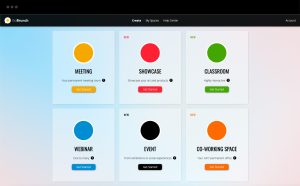
Virtual Rooms: GoBrunch allows users to create multiple virtual rooms simultaneously, mimicking a real conference environment where attendees can move between different sessions.
Interactive Webinars: The platform supports interactive tools such as live polls, quizzes, and Q&A sessions to engage participants and gather feedback in real time.
No Software Installation Required: GoBrunch operates entirely within a web browser, eliminating the need for hosts or attendees to download any software, facilitating easy access and participation.
Customizable Avatars: Participants can choose from a variety of avatars to represent themselves in the virtual space, adding a personal touch to the digital meeting environment.
Recording and Playback: Sessions can be recorded with ease, allowing for playback and review at a later time, which is useful for training purposes or for those who missed the live event.
Screen Sharing: Presenters can share their screens with attendees, making it easier to present slides, documents, or other materials during a session.
Breakout Rooms: The platform includes the functionality to create breakout rooms where smaller groups can discuss topics in more detail, away from the main session.
Unlimited Attendees: GoBrunch supports webinars and meetings with a large number of participants, making it suitable for large-scale events without additional costs.
Real-Time Chat: Integrated chat features allow for real-time communication among participants, enabling discussions and networking opportunities within the virtual environment.
Free Access: GoBrunch offers a free tier, which includes access to many of its core features, making it accessible for users with varying budgets.
Pros of GoBrunch
Interactive Environment: GoBrunch simulates a physical event environment with multiple virtual rooms, allowing participants to move freely between sessions, which enhances the feeling of attending an in-person event.
No Installation Required: The platform is entirely browser-based, which means there’s no need for hosts or attendees to download any software. This makes it easily accessible from various devices and operating systems.
Customizable Avatars: Users can choose and customize avatars, adding a personal and fun element to the virtual meeting experience.
Engagement Tools: Features like live polls, quizzes, and Q&A sessions are integrated to engage participants actively and make sessions more interactive.
Screen Sharing: Presenters can share their screens with ease, which is essential for demonstrations, presentations, and collaborative discussions.
Breakout Rooms: The ability to create breakout rooms allows for smaller group discussions, which can be particularly useful for workshops or training sessions.
Unlimited Attendees: GoBrunch can support a large number of participants without additional costs, making it suitable for large-scale webinars or events.
Recording Functionality: Sessions can be recorded, providing valuable content that can be reviewed later or shared with those who could not attend live.
Free Access: The platform offers a free tier that includes many essential features, making it accessible for users with limited budgets or those just starting out.
Ease of Use: GoBrunch is designed to be user-friendly, with a straightforward interface that makes it easy for both hosts and participants to navigate.
Cons of GoBrunch
Limited Advanced Features: Compared to more established platforms like Zoom or WebEx, GoBrunch might lack some advanced features that are critical for more complex or larger scale professional settings.
Performance Issues with Large Audiences: Although it supports unlimited attendees, the platform might experience performance issues or lag during very large events, affecting the user experience.
Basic Design Elements: The interface and design elements of GoBrunch might seem basic or less polished compared to those of more sophisticated webinar platforms.
Limited Integration: GoBrunch may not offer as many integrations with other tools and software (like CRM systems, marketing tools, or advanced analytics platforms) as some competitors, which can be a drawback for businesses looking to streamline their operations.
Customization Limitations: While customizable avatars are a unique feature, other aspects of event customization (like branding and advanced layout options) might be more limited than on other platforms.
Learning Curve: New users might find the platform’s unique environment and navigation slightly confusing at first, particularly if they are accustomed to more traditional webinar and meeting platforms.
Customer Support: The level of customer support might not be as robust or responsive as that provided by larger, more established companies.
Mobile Experience: The mobile experience might not be as seamless or fully featured as the desktop version, which could be a drawback for participants joining via mobile devices.
Security Features: While GoBrunch includes basic security features, it may not offer the same level of advanced security options that are available on platforms specifically designed for corporate use.
Audio/Video Quality: Some users might experience variable audio and video quality, particularly in regions with less stable internet connections.
Alternatives of GoBrunch
Webex Meetings: Known for its robust feature set including video conferencing, screen sharing, and real-time messaging, Webex is a popular choice for professional and large-scale meetings.
Zoom: Offers a comprehensive suite of tools for video conferencing, webinars, and collaboration, making it ideal for both educational and corporate settings.
Microsoft Teams: Integrated with Microsoft 365, Teams is great for organizations looking for collaboration plus extensive integration with Office apps.
Google Meet: A straightforward and effective solution for video meetings, deeply integrated with Google Workspace services.
BlueJeans Meetings: Provides a premium video conferencing experience with features like Dolby Voice audio and high-definition video.
Slack: While primarily a team collaboration tool, Slack also offers features for voice and video calls, making it suitable for less formal meetings.
Asana: Known for task management, Asana also integrates tools for team communication and collaboration, supporting workflow with chat and video.
GoTo Meeting: A reliable platform for online meetings with features like screen sharing, meeting recording, and mobile access.
Hubilo: Focuses on providing a comprehensive platform for virtual events with tools for networking, engagement, and event management.
Teemyco: A newer entrant, offering a virtual office environment where team interaction can be more spontaneous and fluid.
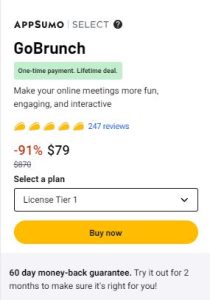
Appsumo GoBrunch
FAQ
Q: How many participants can join a GoBrunch session?
A: The platform can support a varying number of participants depending on the chosen plan, with options suitable for small teams to large audiences.
Q: Can I record sessions in GoBrunch?
A: Yes, GoBrunch allows session recordings, making it easy to review meetings or share them with others who couldn’t attend live.
Q: Is GoBrunch free to use?
A: GoBrunch offers a free version with essential features, and there are premium plans available for additional functionality and larger participant limits.
Q: What customization options does GoBrunch offer?
A: Users can customize virtual rooms with themes, logos, and layouts to match their branding or personal preference.
Q: How does GoBrunch handle security?
A: Specific details on security measures are not provided in the snippets, but like most professional platforms, it likely includes standard security protocols to protect user data and privacy.
Q: Can I integrate GoBrunch with other tools?
A: While GoBrunch offers basic functionalities, integration capabilities with other tools like CRM systems or marketing platforms might be limited compared to other platforms.
Q: What devices and browsers are compatible with GoBrunch?
A: GoBrunch is compatible with desktop browsers like Google Chrome and Firefox. For mobile devices, it supports Safari on iOS and Chrome on Android.
Q: Does GoBrunch support screen sharing and other interactive tools?
A: Yes, the platform supports screen sharing, interactive polls, quizzes, and more to engage participants during sessions.
Q: How can I get support if I encounter issues with GoBrunch?
A: GoBrunch provides support through email, live chat, and a comprehensive knowledge base that includes user guides and tutorial videos.
Visit WP Plugin